
Two Players at One Keyboard in Soccer Legends: Layout, Modes and Who Gets the Arrows
Published · 2 min read
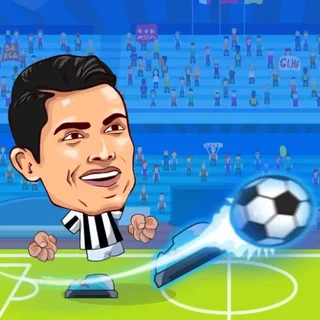
The layout
Choose 2 Players on the title screen. Player 1 is on the right-hand side of the keyboard: arrow keys to move, Up to jump, X to shoot, Z for the supershot and Down to slide. Player 2 mirrors it on the left: W A S D to move, W to jump, L to shoot, K for the supershot and S to slide. On a normal laptop keyboard the two of you sit at the two ends and nobody's hand crosses the other's, which is the reason for the odd choice of L and K rather than something nearer the letters.
Picking sides
The setup screen shows a club and a footballer for each player with arrows to change them, and the mode column in the middle: 1v1, 2v2 or 3v3. In 2v2 and 3v3 each of you controls one footballer at a time and the computer plays your team-mates, which makes the pitch busier but also means a wall of big heads in front of each goal. For the fairest match play 1v1 first; the abilities under the portraits are the thing to compare, because a Fireball is worth more than a Teleport in inexperienced hands.
House rules that hold up
Swap the arrow keys and W A S D every match, because most people are quicker on the arrows. Agree that a supershot fired within the first ten seconds is bad form rather than banned; it settles itself. And play the rematch — a match is short enough that best of three takes less time than the argument about the offside that does not exist in this game.
If Player 2's keys do nothing
Click inside the game once before the kickoff so the page has keyboard focus, and check that nothing on the laptop maps W A S D to something else. The build also stops the arrow keys and Space from scrolling the page, so if the page moves when you press Down, the game has not loaded its input yet and needs a second.
More from the blog
- Soccer Legends 2021: How the Supershot Meter Works and When to Spend It
The ball meter at the bottom of the screen is the whole strategy of Soccer Legends. What fills it, what a Fireball and a Teleport actually do, and the two moments a supershot is worth a goal.
- After Soccer Legends: The Head-to-Head, Penalty and Cup Games Worth Your Next Ten Minutes
What is on the shelf next to Soccer Legends and why: the big-head football relatives, the shootouts and free kicks for a mouse, the cup and career games, and the two MadPuffers basketball games with the same keys.